
Save a Document as a Template
Reuse the file, fields, and settings of an existing document by saving it as a template.
2 min readUpdated
If you have already set up a document the way you want, you do not need to rebuild it as a template. You can save it directly from the document lists.
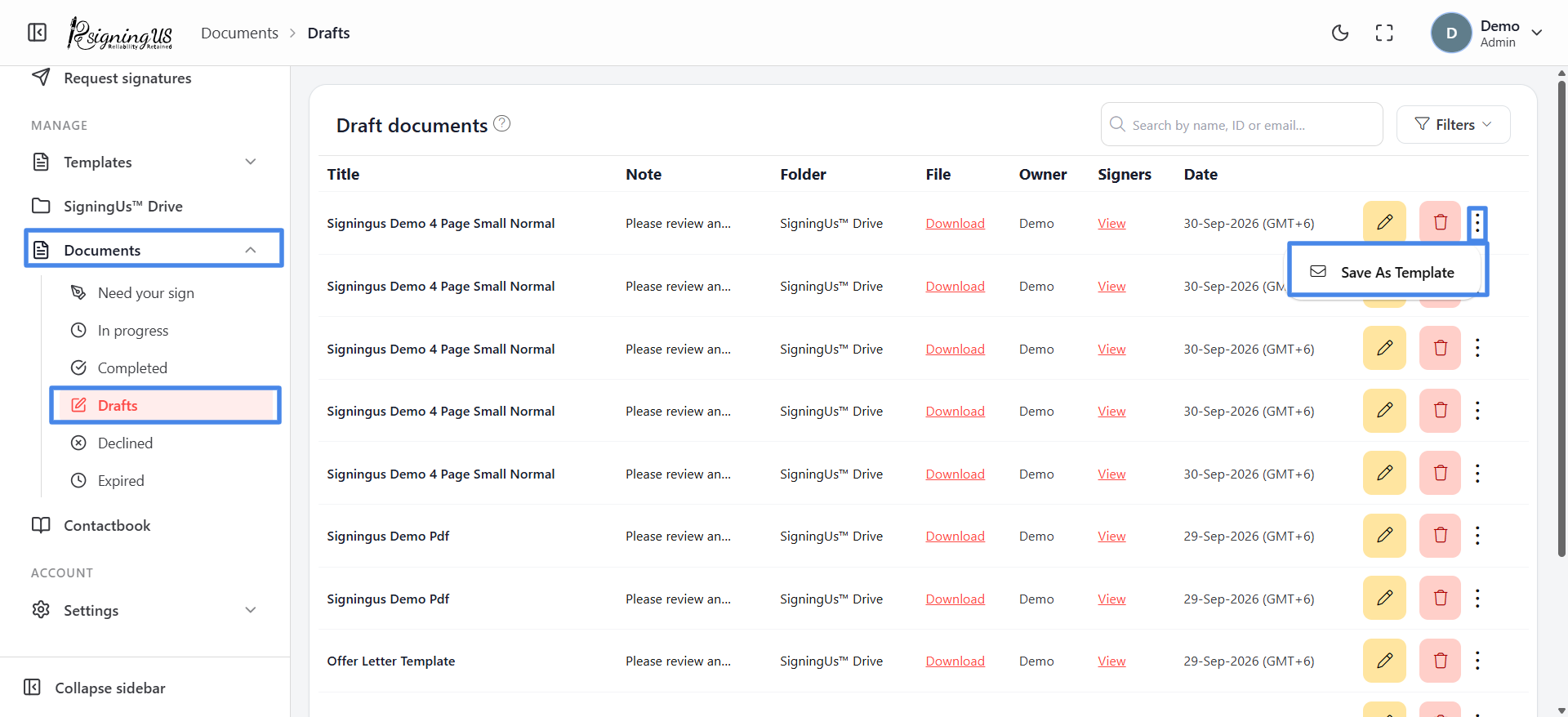
- Open Documents in the sidebar and go to "Drafts", "In progress", "Completed", "Declined", or "Expired".
- Open the ⋮ menu on the document and select "Save as template".
- Confirm "Are you sure you want to save this document as template?" by selecting "Yes".
- The "Template Created" dialog asks how you would like to proceed.
| Choice | What happens |
|---|---|
| Use | Creates a new document from the template immediately. |
| Edit | Opens the new template in the editor so you can adjust roles and fields. |
| go to 'Manage templates' | Takes you to the template list. |
Still stuck? Email support@signingus.com and tell us which page you were on and what you expected to happen.