
Rename, revoke or delete a document
Change a document's title, stop a sent document from being signed, or remove it.
2 min readUpdated
Rename#
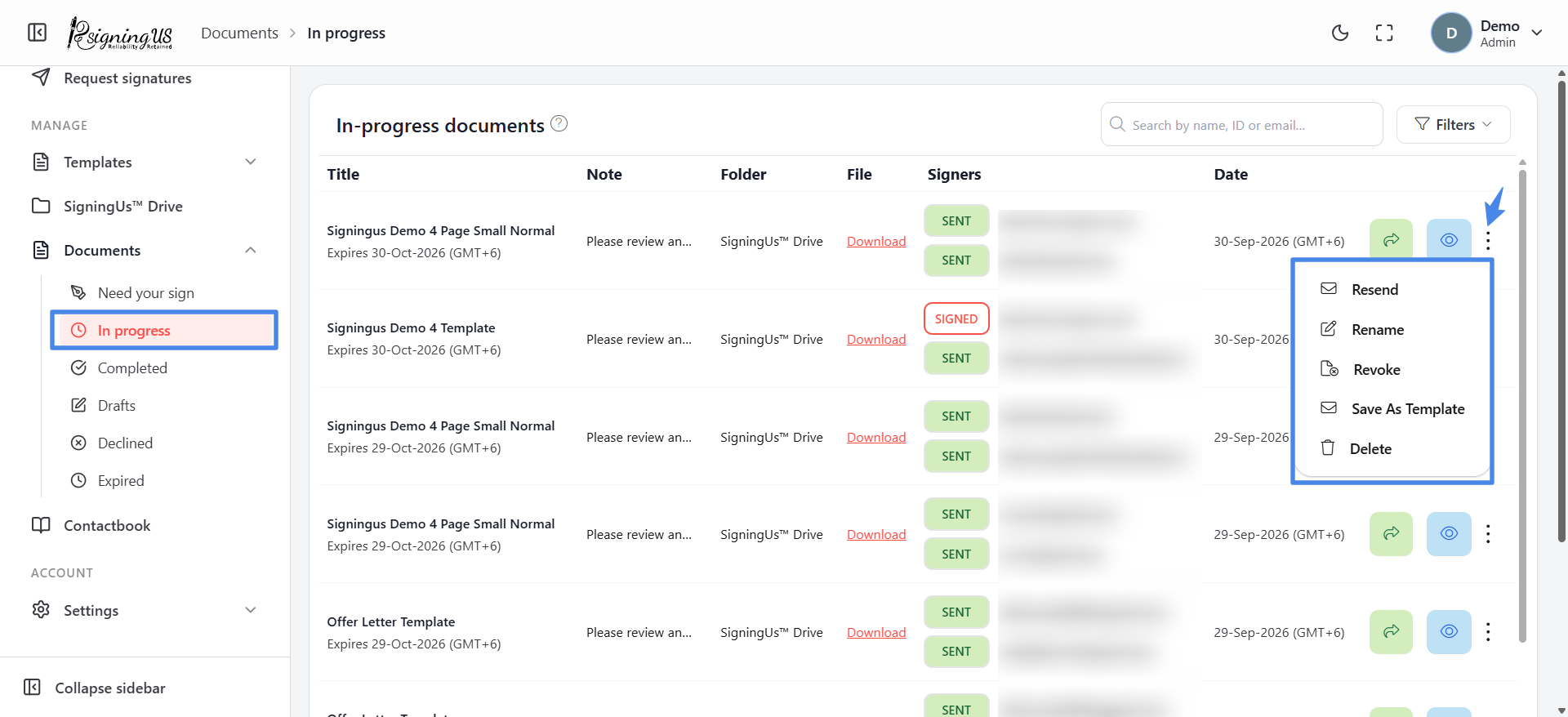
On an in-progress document, open the ⋮ menu and select "Rename". Enter the new title, up to 200 characters, and select "Save".
Revoke#
Revoking stops a document that is out for signature. Use it when you sent the wrong file or the signing request is no longer needed.
- On the "In progress" list, open the ⋮ menu and select "Revoke".
- In "Revoke document", optionally enter a reason.
- Select "Yes". You will see "Record revoked successfully!"
Anyone who opens the signing link afterward is told that they cannot sign because the document has been declined or revoked.
Delete#
Select "Delete" (the bin icon or the ⋮ menu on in-progress documents) and confirm "Are you sure you want to delete this document?". On completed documents, only the owner can delete.
Still stuck? Email support@signingus.com and tell us which page you were on and what you expected to happen.