
Reset a forgotten password
Get a password reset link by email and choose a new password.
2 min readUpdated
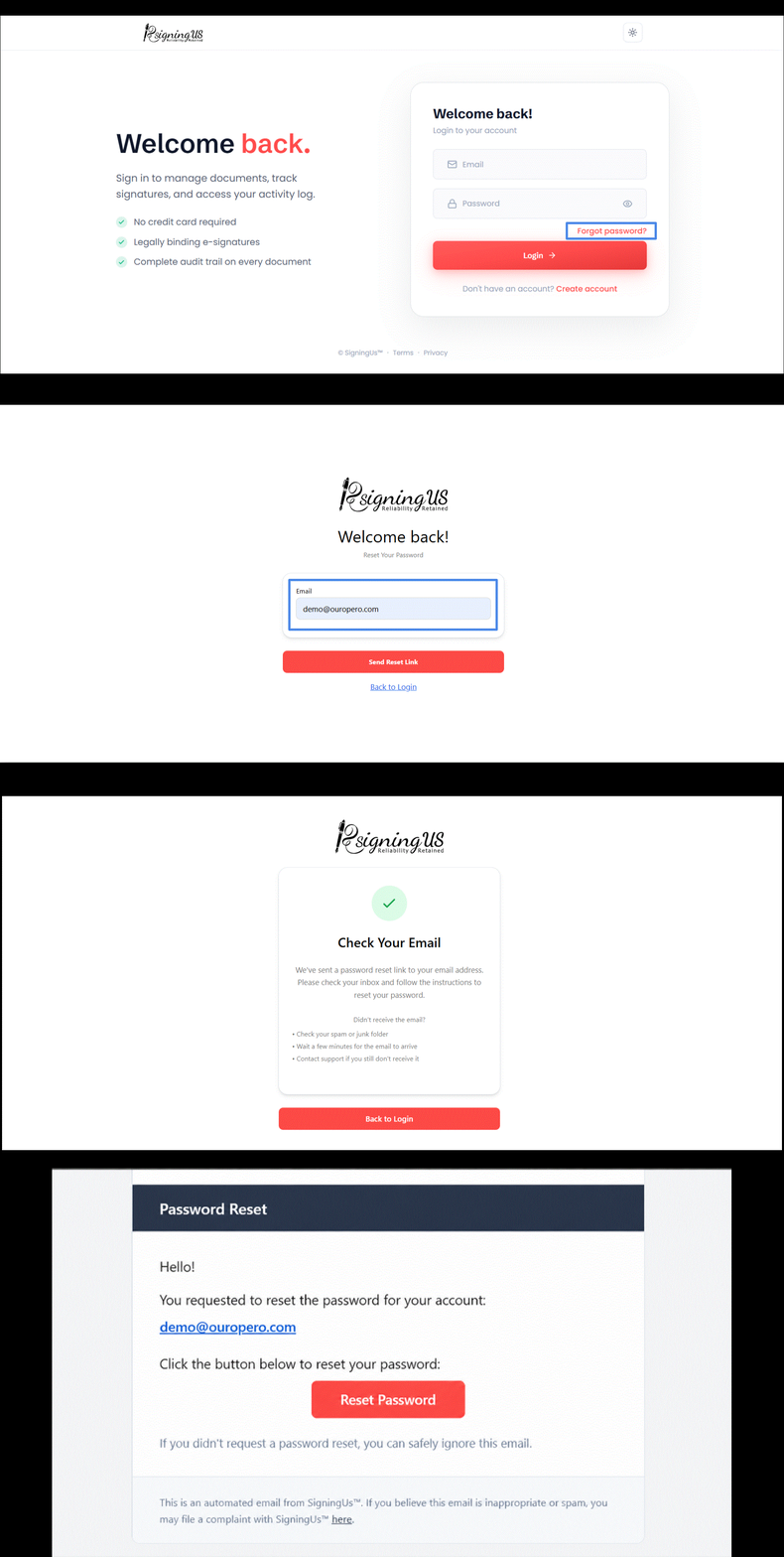
- On the sign-in page, select "Forgot password?".
- Enter the email address you use to sign in and submit the request.
- Open the password reset email from SigningUS and follow the link.
- On the "Set a new password" page, enter and confirm your new password.
- Select "Back to Login", then sign in with your new password.
If you know your current password and simply want to change it, you do not need a reset link. See "Change your password" under Account Settings.
Still stuck? Email support@signingus.com and tell us which page you were on and what you expected to happen.