
Payments & Invoices
Open the secure billing portal to update your card, view past payments, and download invoices and receipts.
2 min readUpdated
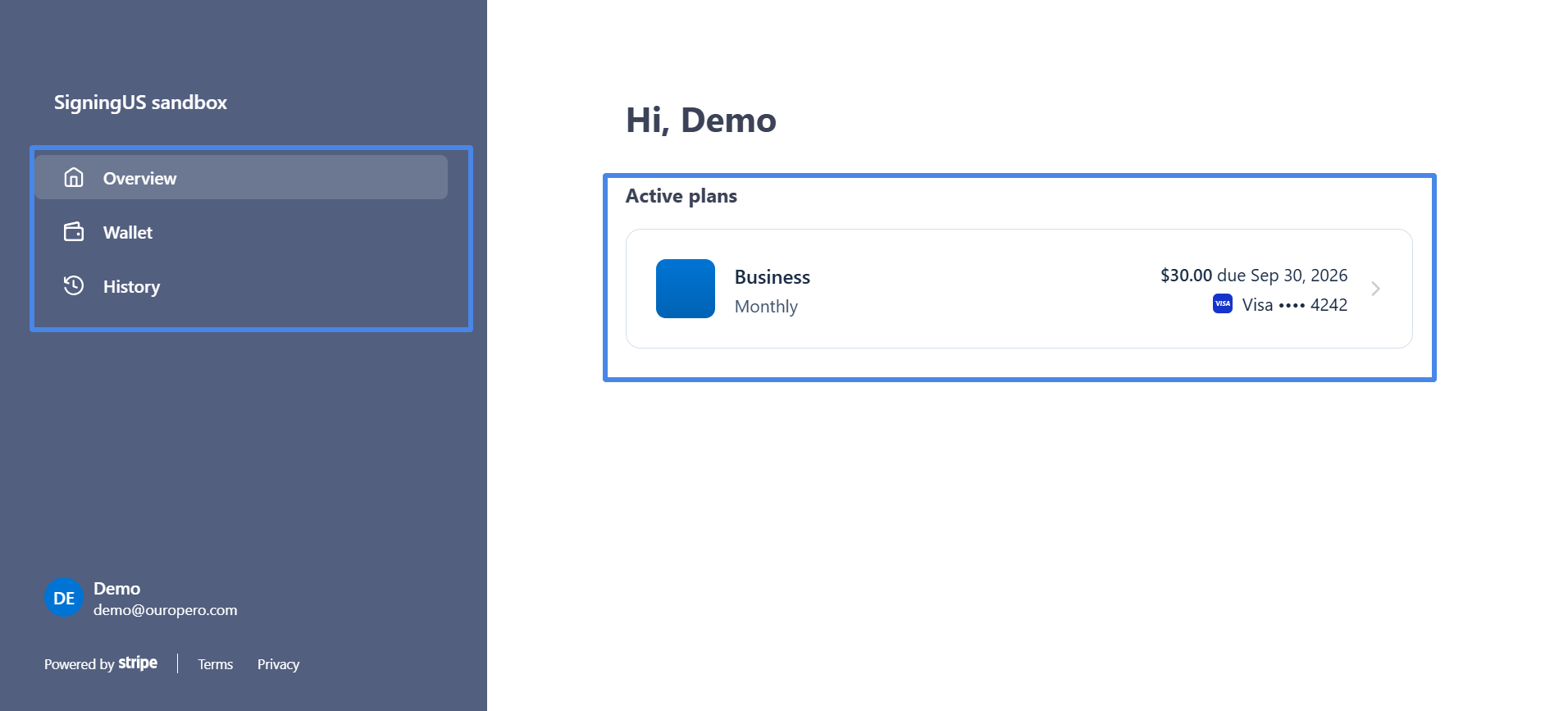
SigningUS does not store your card details. Payments, receipts, and invoices are handled through a secure billing portal provided by our payment provider.
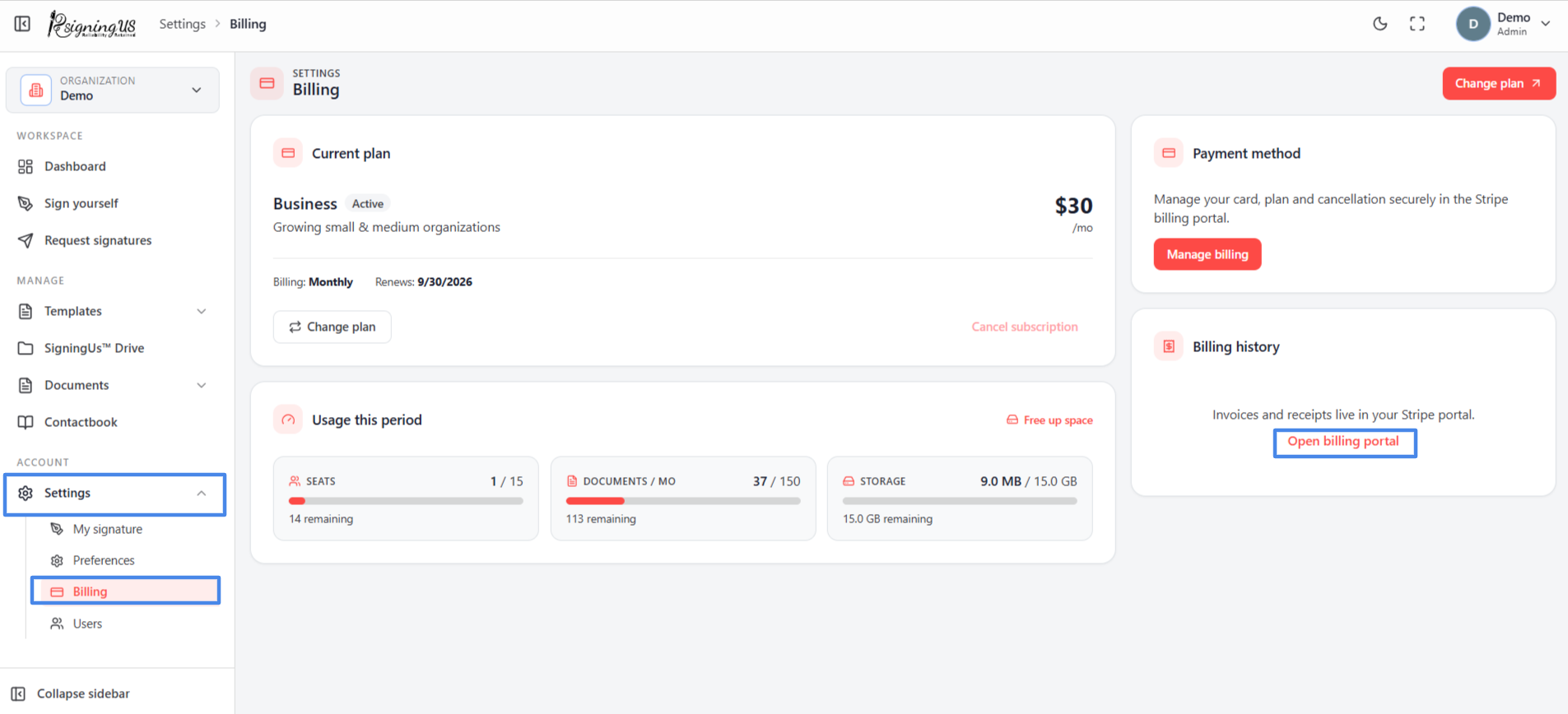
- Go to Settings → "Billing".
- Under "Payment method", select "Manage billing". Under "Billing history", you can also select "Open billing portal".
- In the portal, update your card, view past payments, and download invoices and receipts.
Still stuck? Email support@signingus.com and tell us which page you were on and what you expected to happen.