
Edit a user and reset their password
Change a member's name, phone number, or role, and set a new password for them.
2 min readUpdated
Edit Details and Role#
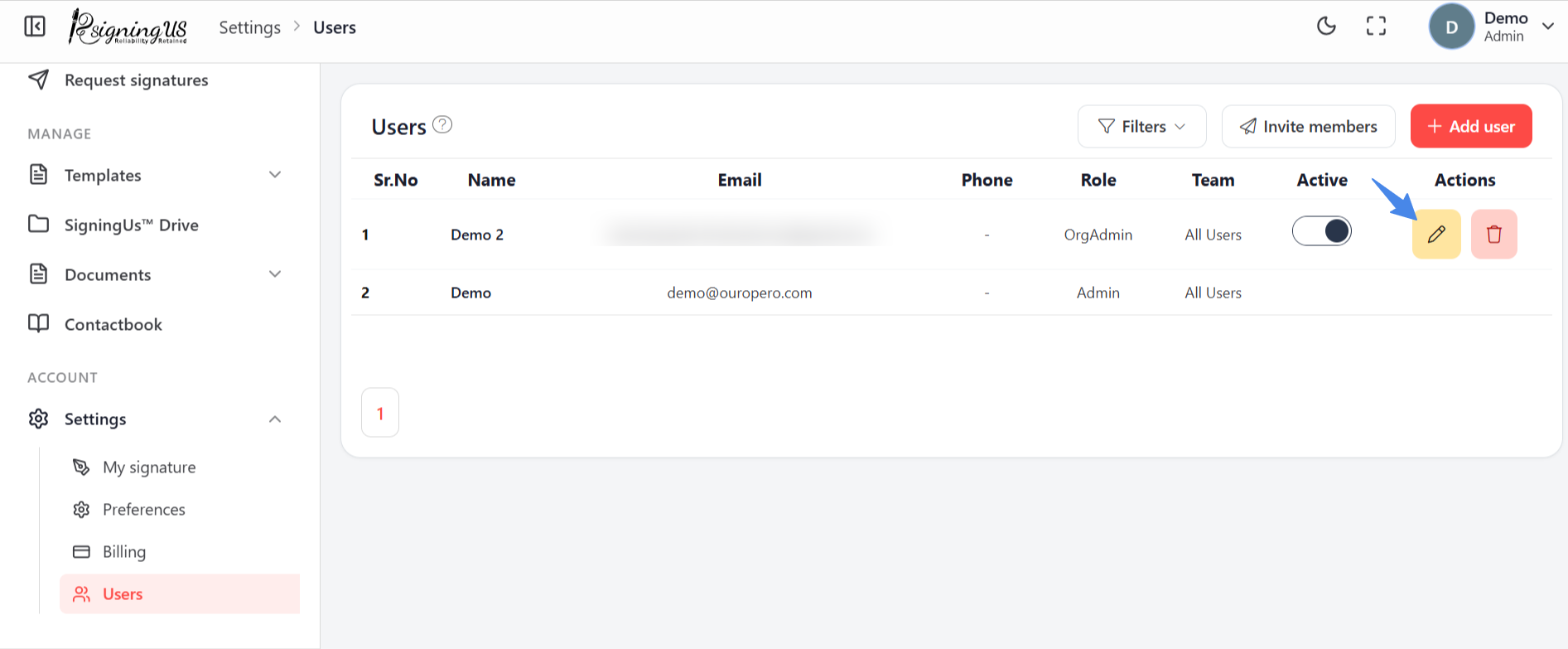
- On Settings → "Users", select the pencil icon on the member's row.
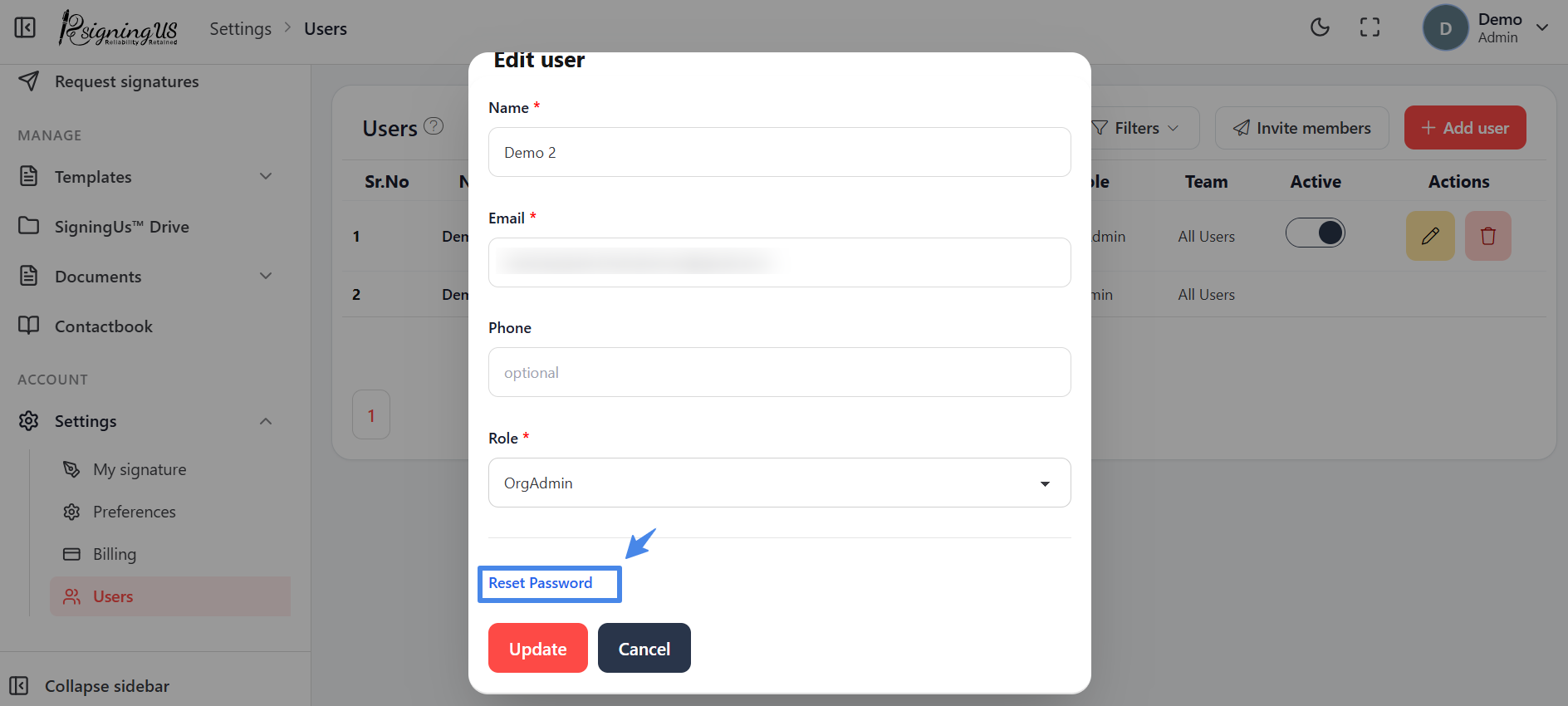
- In "Edit user", change the name, phone number, or Role.
- Select "Update". You will see "User updated successfully".
Reset Their Password#
- In "Edit user", select "Reset Password".
- Enter a password in "Enter new password", or select "Generate" to create one.
- Select "Set New Password", then share the new password with the member.
Still stuck? Email support@signingus.com and tell us which page you were on and what you expected to happen.