
Resend a request
Email a signer again, with your own subject and message if needed.
2 min readUpdated
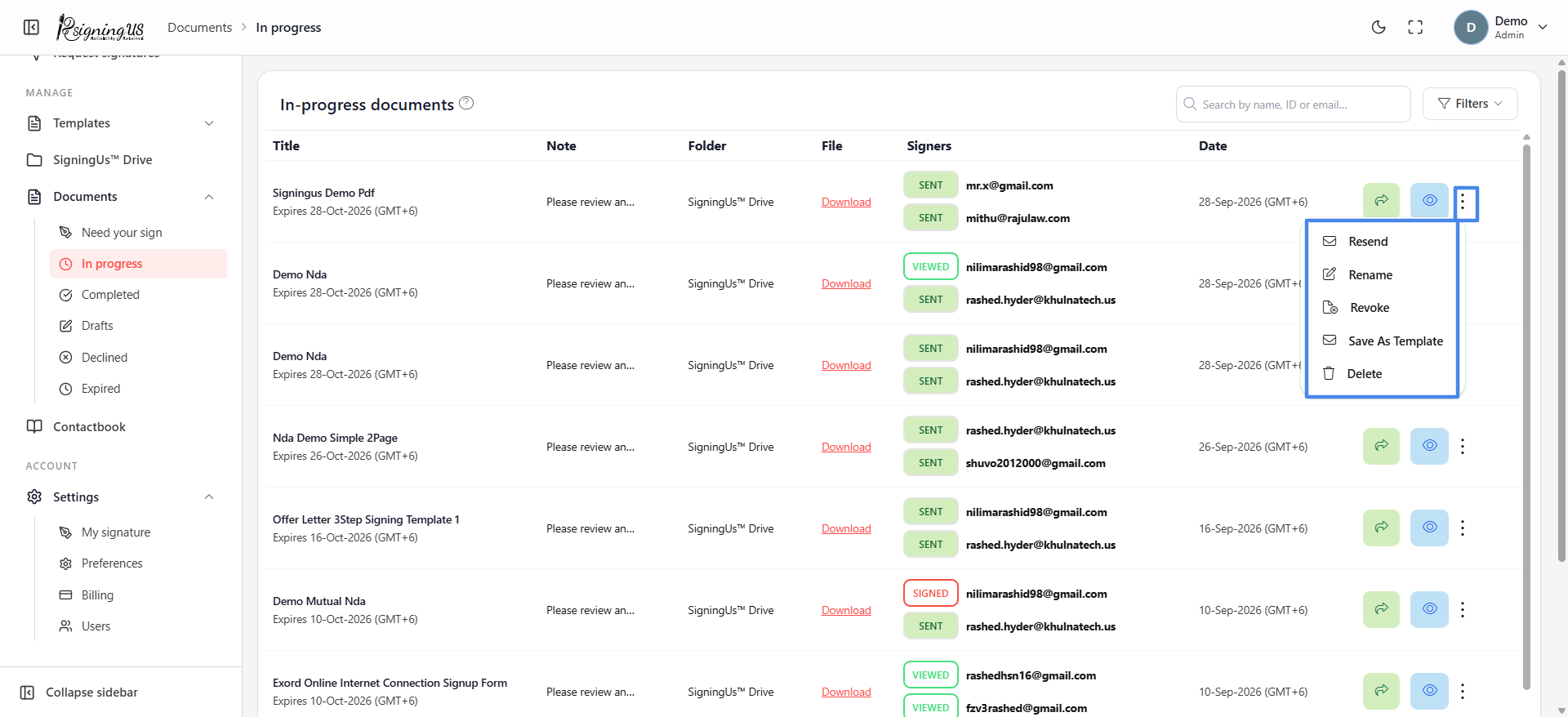
- Go to Documents → In progress.
- Open the ⋮ menu for the document and select "Resend".
- In the "Resend mail" dialog, select the recipient who has not signed yet, then select "Resend".
- Edit the subject and message if needed, then send the email.
The message can include variables that are replaced with the relevant information when the email is sent:
- {{document_title}}, {{note}}, {{expiry_date}}, {{signing_url}}
- {{sender_name}}, {{sender_mail}}, {{sender_phone}}, {{company_name}}
- {{receiver_name}}, {{receiver_email}}, {{receiver_phone}}
Still stuck? Email support@signingus.com and tell us which page you were on and what you expected to happen.