
Actions available on each list
Which buttons and ⋮ menu items are available in each document list, including owner-only actions.
2 min readUpdated
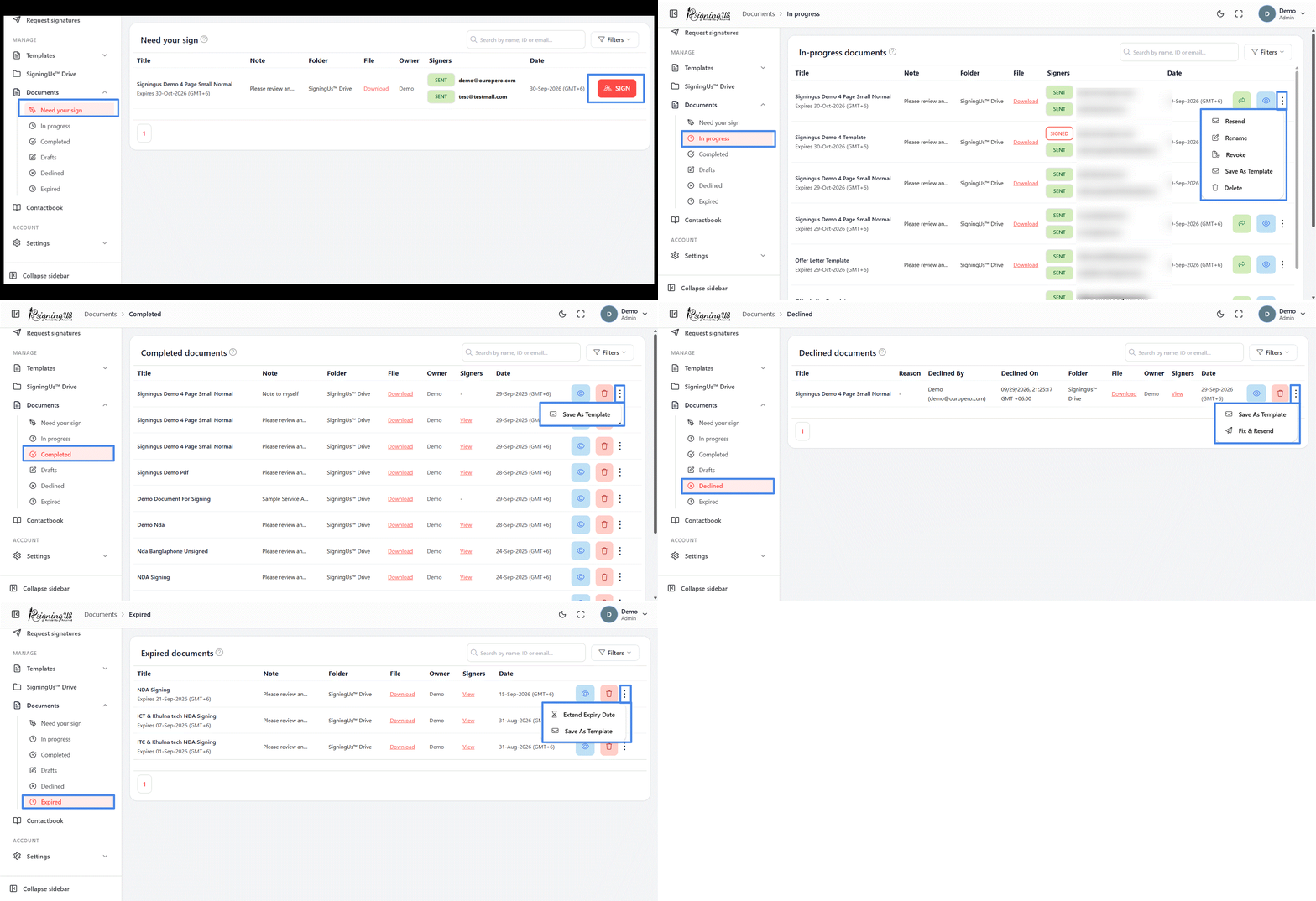
| List | Buttons | Menu |
|---|---|---|
| Need your sign | Sign | None |
| In progress | Share, View | Resend, Rename, Revoke, Save as template, Delete |
| Completed | View, Delete (owner only) | Save as template (owner only) |
| Drafts | Edit, Delete | Save as template (owner only) |
| Declined | View, Delete | Save as template, Fix & resend |
| Expired | View, Delete | Extend expiry date, Save as template |
Every list also includes a "Download" link in the File column. Selecting "Share" on an in-progress document opens a list of each signer's signing link, with options to copy or share the link. This is useful when a signer cannot find the email.
Still stuck? Email support@signingus.com and tell us which page you were on and what you expected to happen.