
Change Your Password
Choose a new password from inside the app and review the password requirements.
2 min readUpdated
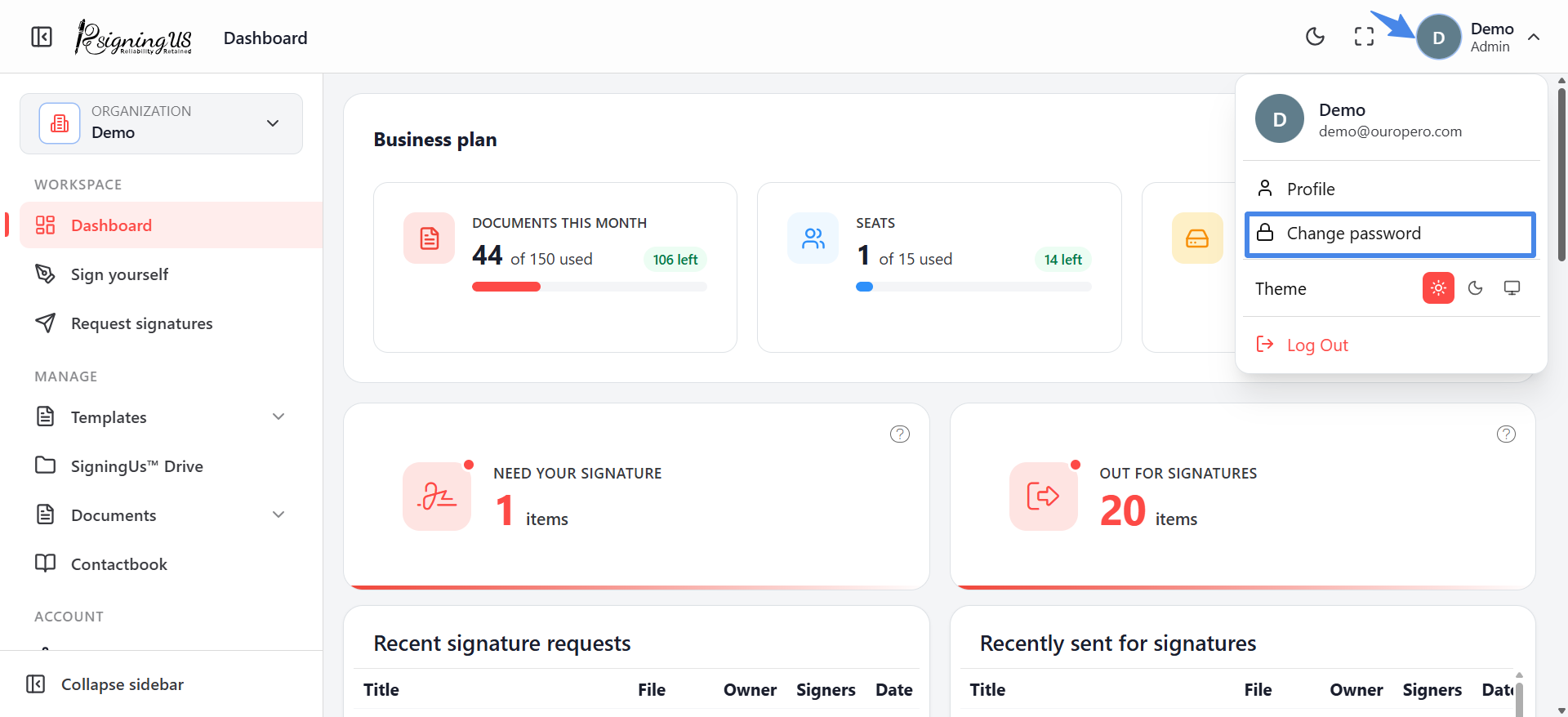
- Select your avatar → "Change password", or select "Change password" from your profile.
- Enter your "Current password".
- Enter a "New password". The "Password strength" meter and checklist update as you type.
- Enter the same password in "Confirm password" until you see "Passwords match".
- Select "Submit". You will see "Password updated successfully."
Password Checklist#
- 8 or more characters
- At least one uppercase letter
- At least one lowercase letter
- At least one number
- At least one special character
If It Will Not Save#
| Message | What to do |
|---|---|
| Your current password is missing or incorrect. | Re-enter your current password. If you have forgotten it, sign out and use "Forgot password?". |
| New password cannot be the same as current password | Choose a password that is different from your current password. |
| Password is too weak | Meet all the requirements in the password checklist. |
Still stuck? Email support@signingus.com and tell us which page you were on and what you expected to happen.