
Free up storage
Delete your largest files to get back under your storage allowance.
2 min readUpdated
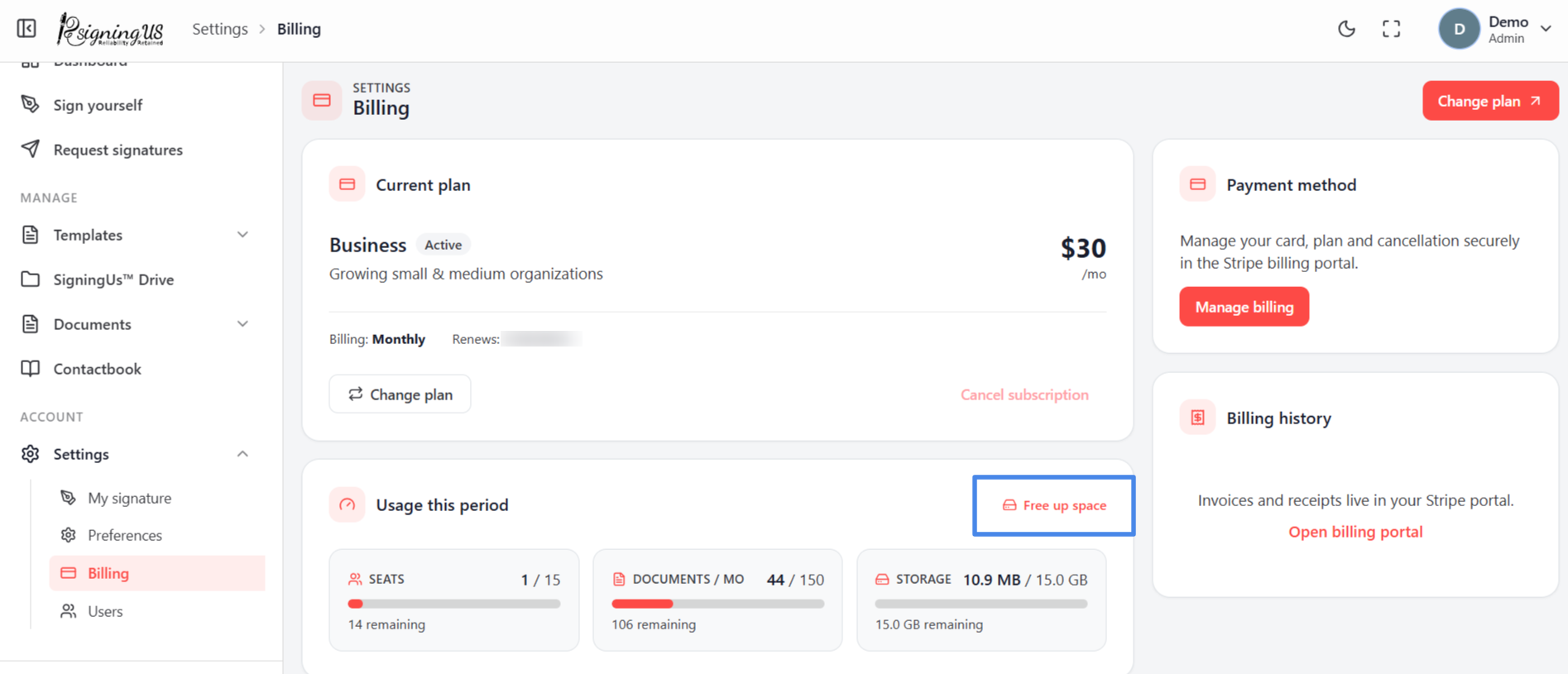
- On the Billing page, select "Free up space" beside "Usage this period".
- The "Free up storage" panel lists your organization's largest files first.
- Select the files you no longer need. The panel calculates how much storage they use.
- Select "Delete selected". The panel shows how much storage was freed and how many files were removed.
The panel shows only the largest files. To remove smaller documents, delete them from SigningUS™ Drive or the Documents lists.
Still stuck? Email support@signingus.com and tell us which page you were on and what you expected to happen.