
Multiple Organizations
Use the organization switcher to move between organizations and create new ones.
2 min readUpdated
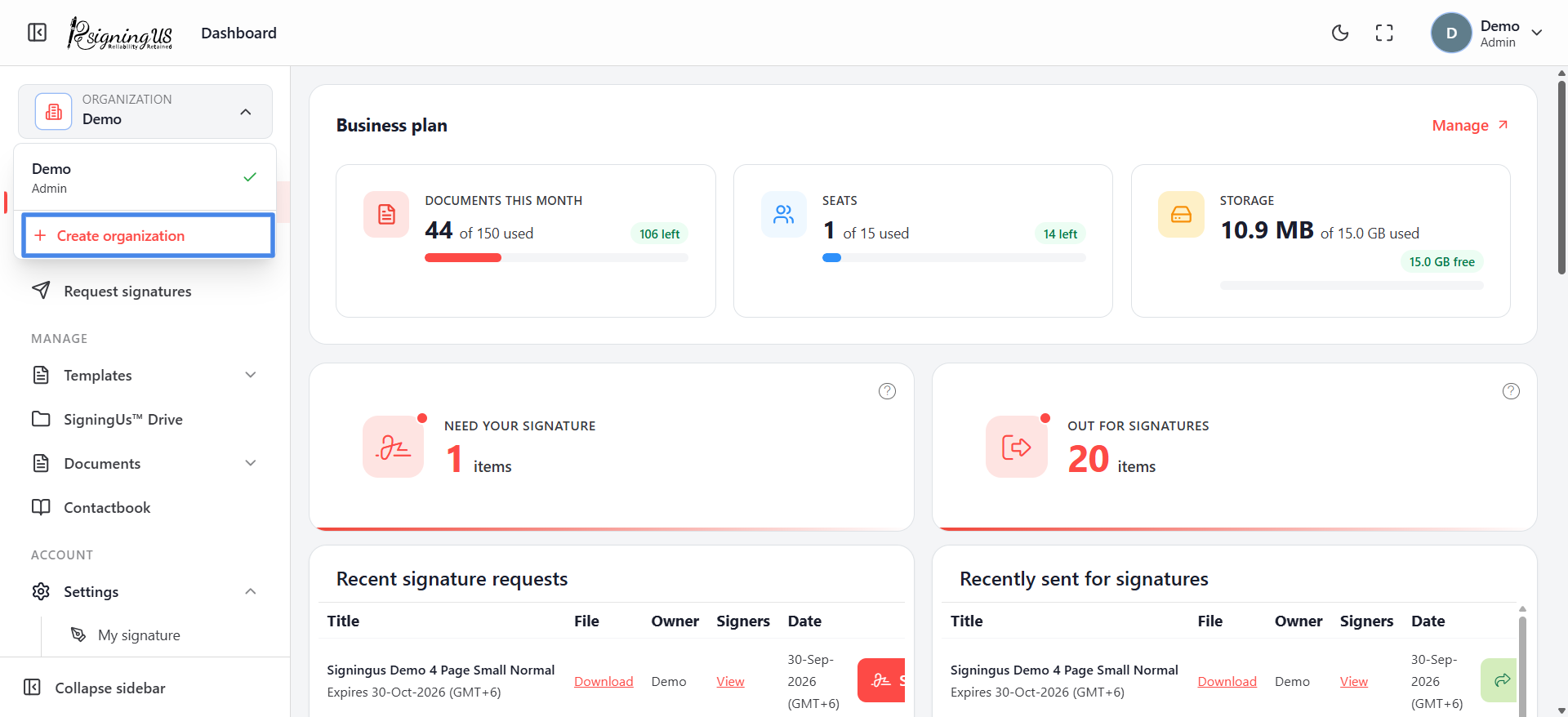
One SigningUS account can belong to several organizations, such as your own company and a client that invited you. Documents, templates, contacts, and members belong to an organization, so you only see the information for the organization you are currently working in.
Switch Organization#
- Open the organization switcher at the top of the sidebar, labelled "Organization".
- Each organization you belong to is listed along with your role in that organization.
- Select an organization. The app reloads in the selected organization.
Create an Organization#
- In the organization switcher, select "Create organization".
- Enter an organization name.
- Optionally enter "Your job title".
- Select "Create & switch". You become the Admin of the new organization and are switched to it.
Still stuck? Email support@signingus.com and tell us which page you were on and what you expected to happen.