
Verify Your Email
Confirm the email address on your account using a one-time code sent to your inbox.
2 min readUpdated
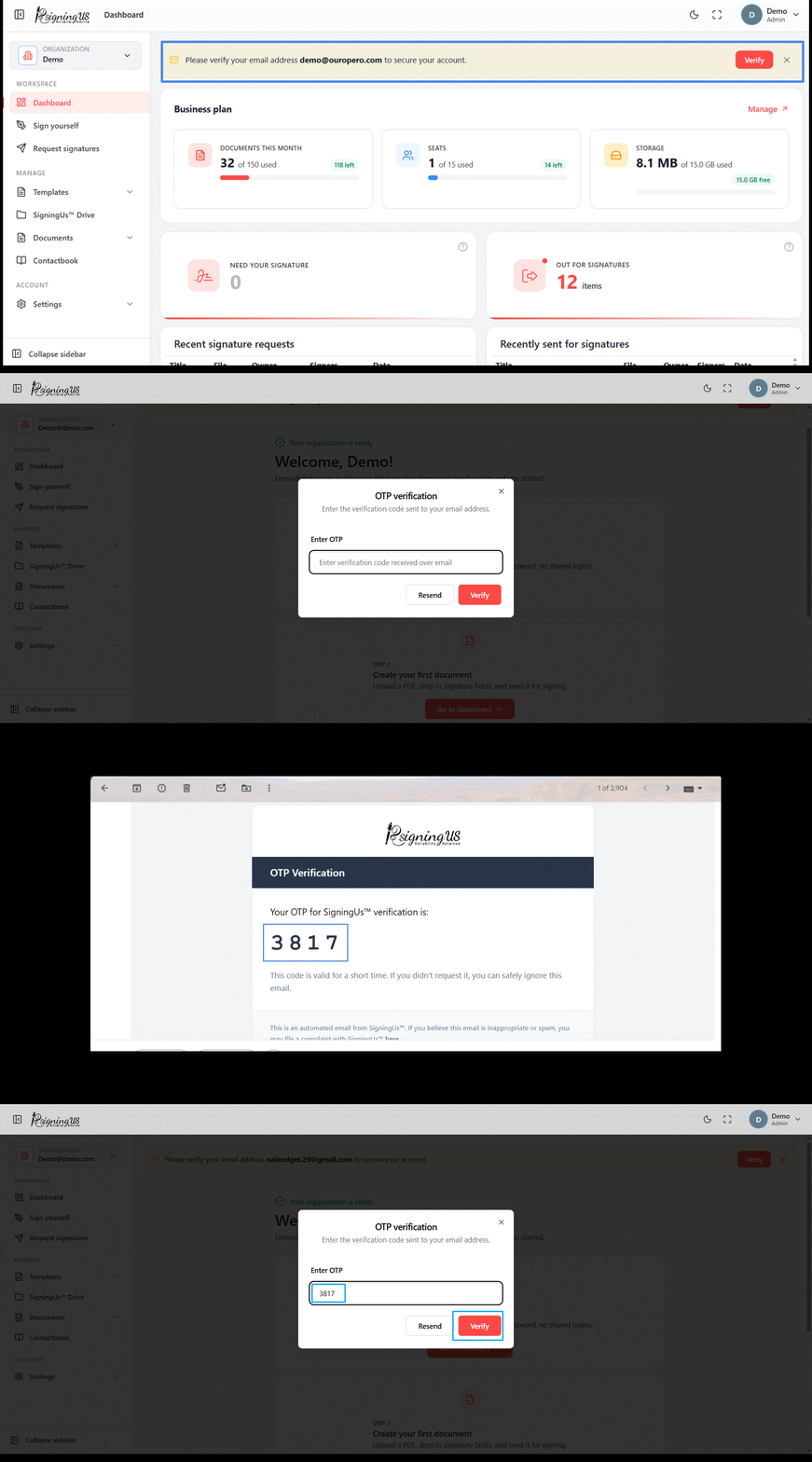
Until your email is verified, a banner at the top of the app will prompt you to complete the verification. Email verification is a one-time step that confirms the email address on your account belongs to you.
Verify from the Banner#
- Select "Verify" on the banner. SigningUS will send a verification code to your email and display "OTP sent on your email".
- In the "OTP verification" dialog, enter the code in the "Enter OTP" field.
- Select "Verify". You will see "Email is verified.", and the banner will disappear.
Verify from Your Profile#
If you dismissed the banner, open your avatar menu and select "Profile". Under "Account & security", the email verification status will show "Verify" until you complete the verification. Selecting it opens the same OTP verification dialog.
Still stuck? Email support@signingus.com and tell us which page you were on and what you expected to happen.