
Create folders and organise documents
Create folders, and download, rename, move, or delete documents and folders.
3 min readUpdated
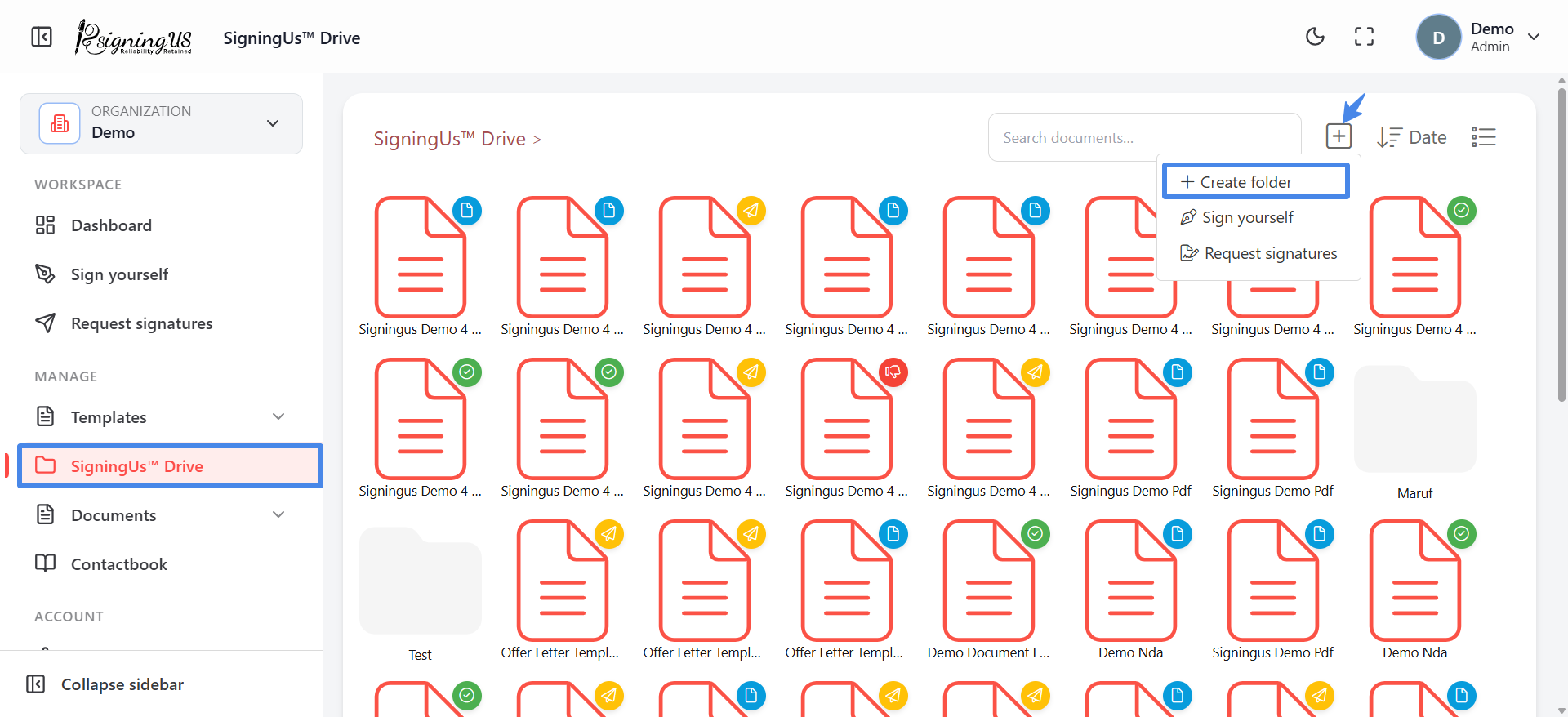
Create a Folder#
- Open the folder where you want the new folder to be created, or stay at the top level.
- Select the add button and choose "Create folder".
- In "Add a new folder", enter a name and select "Add". You will see "Folder created successfully!"
The same add menu also includes "Sign yourself" and "Request signatures" for starting a new document.
Document Actions#
Right-click a document, or use its action menu in table view, to see the following options:
| Action | What it does |
|---|---|
| Download | Saves the PDF to your device. |
| Rename | Lets you enter a new name directly. |
| Move | Opens "Select folder" so you can choose another folder and select "Save here". |
| Delete | Asks "Are you sure you want to delete this document?" and removes it. |
Folder Actions#
Right-click a folder to access "Rename" or "Delete".
Still stuck? Email support@signingus.com and tell us which page you were on and what you expected to happen.