
Complete the fields and finish
3 min readUpdated
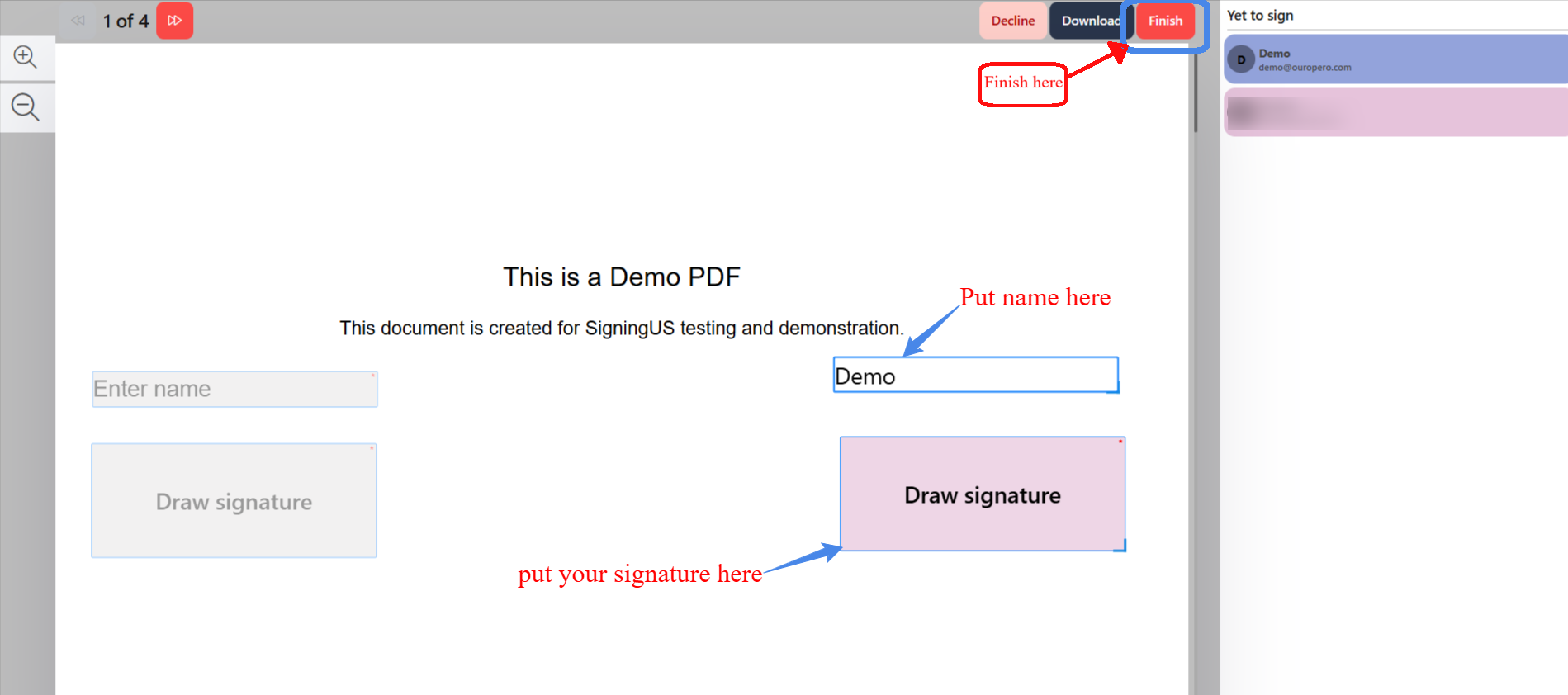
Move through the fields, attach files, and finish signing.
The sender may have added fields for more than just signatures, such as your name, a date, text, checkboxes, dropdowns, choices, images, or file attachments. Required fields must be completed before you can finish the document. Optional fields can be left blank.
Move Through the Document#
- Select "Next Field" to move to the next field that still needs to be completed.
- A counter, such as "3 of 7 fields left", shows how many fields remain.
- The side panel shows who has already signed ("Signed By") and who still needs to sign ("Yet to sign").
Attach a File#
A "File Upload" field allows you to attach a document, such as a copy of your ID. Select "Upload file" and choose a file from your device.
Finish#
- When all required fields are complete, select "Finish".
- Confirm "Are you sure you want to finish the document?"
Still stuck? Email support@signingus.com and tell us which page you were on and what you expected to happen.