
Copy or share a signing link
Give signers their signing link yourself through chat, a messaging app, or your own email.
2 min readUpdated
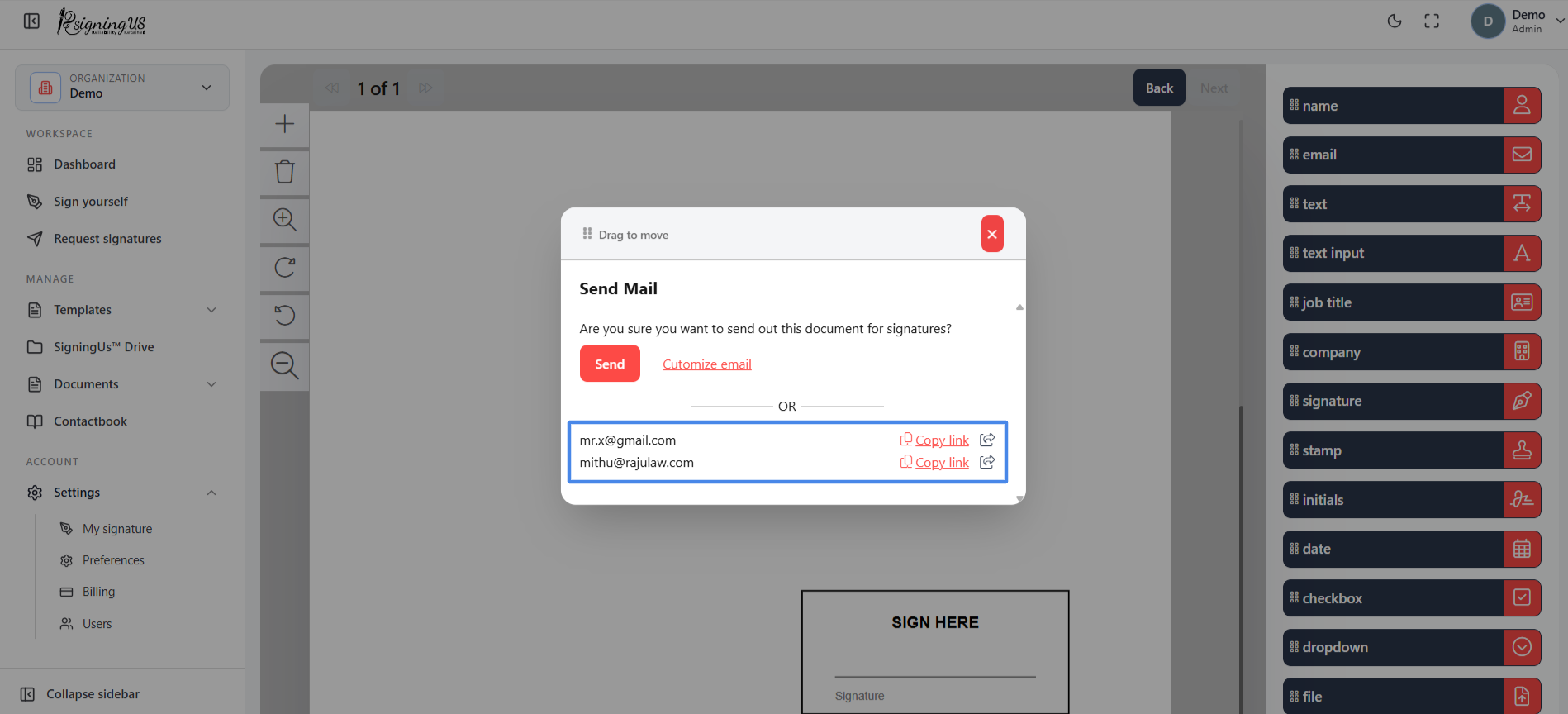
Every signer has a unique personal signing link. In the "Send Mail" dialog, below "OR", each signer has a "Copy link" button and a share icon.
- Copy link: Copies the signer's personal link so you can paste it wherever you need.
- Share icon: Opens your device's built in share menu, if available. Otherwise, it offers options such as Twitter, Facebook, WhatsApp, Gmail, Teams, and Outlook.
You can access the links again later. Go to Documents → In progress and select "Share" on the document.
Still stuck? Email support@signingus.com and tell us which page you were on and what you expected to happen.