
Sign a Document Yourself
3 min readUpdated
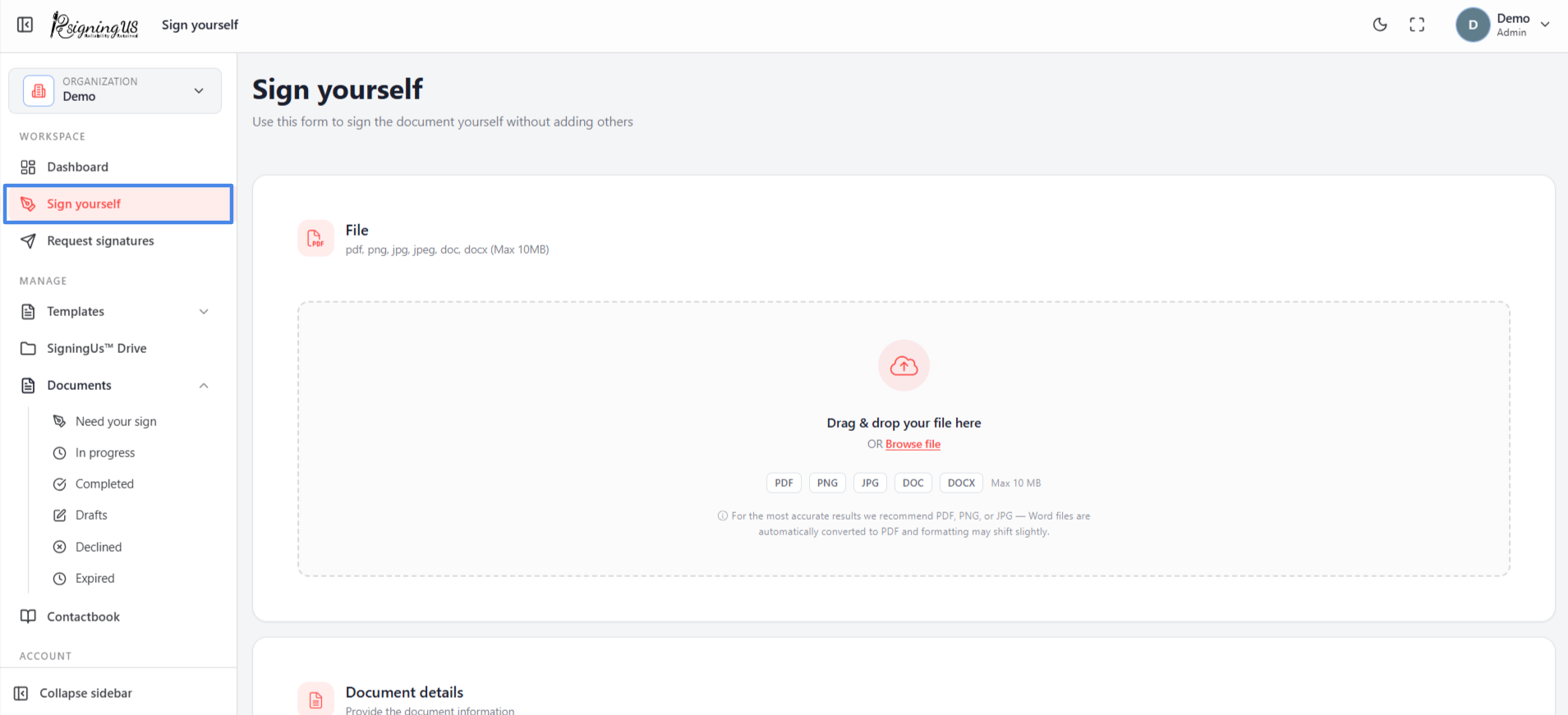
Upload a document, place your signature and other fields, and finish without adding any other signers.
Use "Sign yourself" for documents that only you need to sign, such as a form you are returning to someone. If other people also need to sign, use "Request signatures" and add yourself as one of the signers.
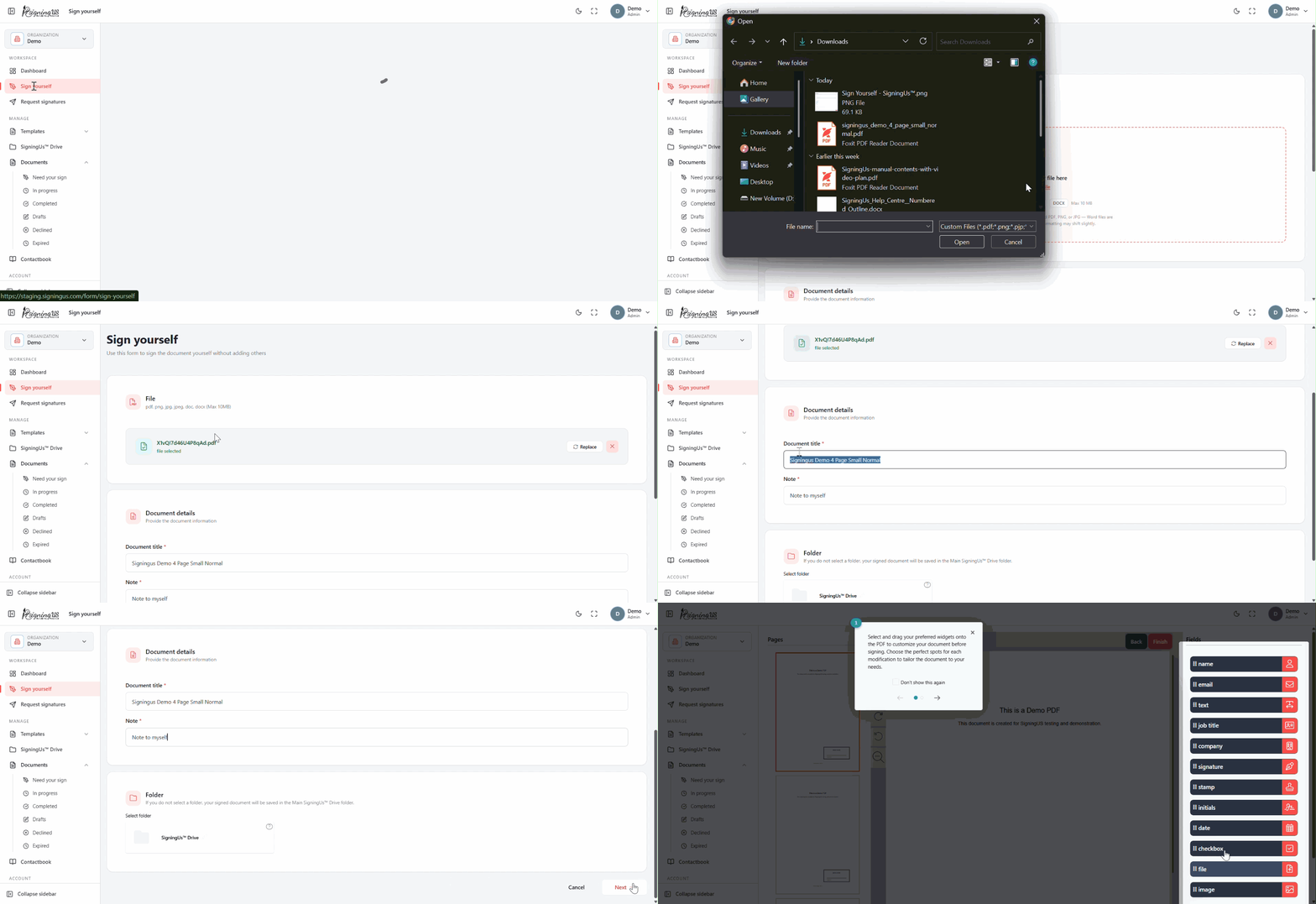
Fill in the Form#
- Select "Sign yourself" in the sidebar or on the dashboard.
- Upload the file. The same file types and 10 MB limit apply as for other documents.
- Enter a "Document title".
- Check the "Note". It starts as "Note to myself" and is required.
- Optionally select a folder in SigningUS™ Drive.
- Select "Next".
Place Your Fields and Sign#
- Drag fields from the panel onto the page, then move or resize them as needed.
- Complete each field. For a signature, draw, type, or upload one, or use the signature saved in your account.
- Select "Finish". SigningUS signs the document and displays a confirmation.
Fields You Can Use#
| Available | Not available when signing yourself |
|---|---|
| Signature, Stamp, Initials, Name, Job title, Company, Date, Text, Checkbox, File, Image, Email | Dropdown, Radio button, Text input |
Advanced options such as signing order or expiry are not available for documents you sign yourself because no other participants are involved.
Still stuck? Email support@signingus.com and tell us which page you were on and what you expected to happen.