
Resend a signing request
Send a reminder email to signers who have not signed yet, with your own subject and message.
3 min readUpdated
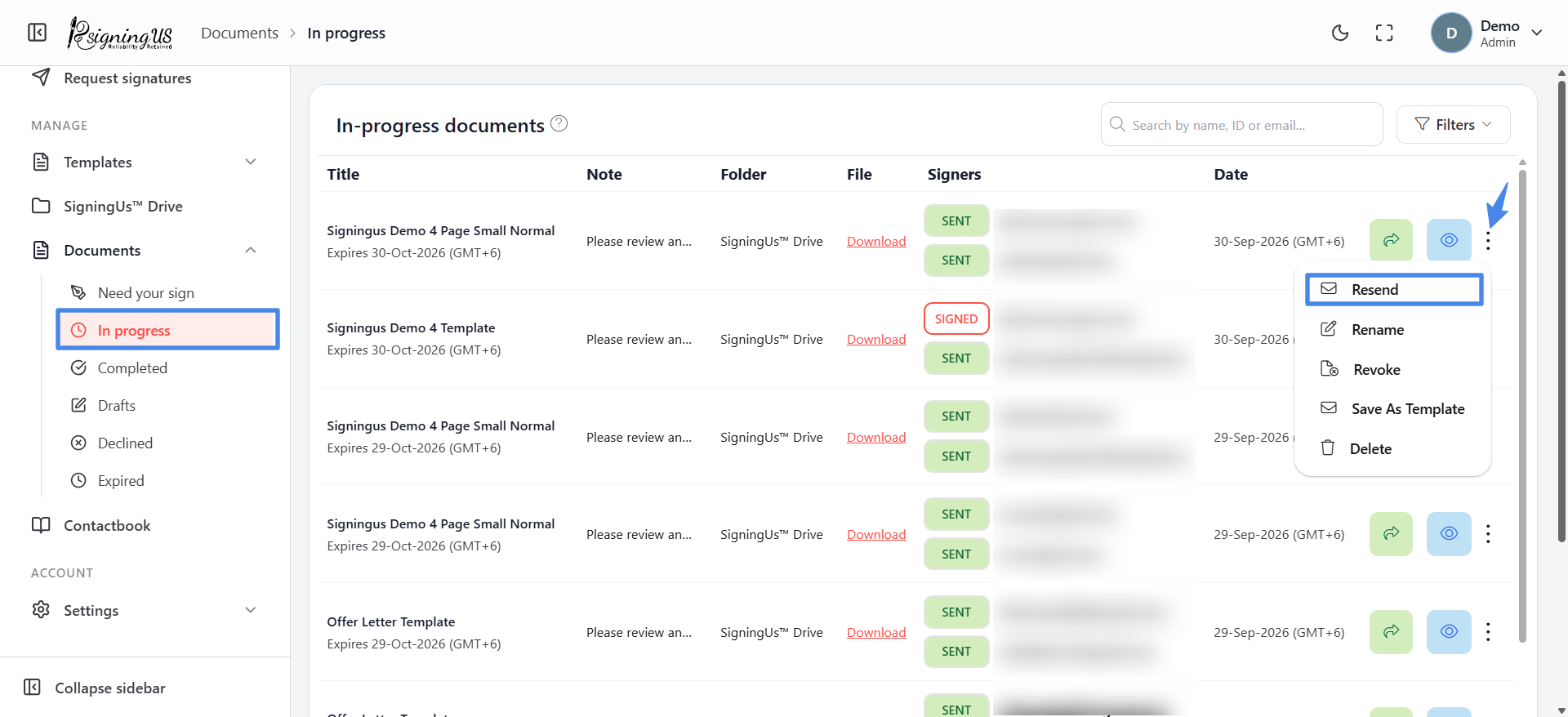
SigningUS does not send automatic reminders. To remind a signer, resend the request manually from the "In progress" list.
- Open Documents → "In progress".
- Open the ⋮ menu on the document and select "Resend".
- The "Resend mail" dialog lists every signer with their status: "Awaited", "Signed", or "Declined".
- Select "Resend" beside a signer who has not signed yet.
- Edit the "Subject" and "Body" of the email if needed, then select "Resend".
Variables You Can Use#
Enter any of the following variables in the subject or body. SigningUS replaces them with the corresponding values when the email is sent:
| Variable | Replaced with |
|---|---|
| {{document_title}} | The document's title |
| {{sender_name}}, {{sender_mail}}, {{sender_phone}} | Your name, email, and phone |
| {{receiver_name}}, {{receiver_email}}, {{receiver_phone}} | The signer's name, email, and phone |
| {{expiry_date}} | The date the document expires |
| {{company_name}} | Your company name |
| {{signing_url}} | The signer's personal signing link |
| {{note}} | The note you added to the document |
Still stuck? Email support@signingus.com and tell us which page you were on and what you expected to happen.